How to Calibrate Your Meat Thermometer for Accuracy
This comprehensive guide explains the importance of calibrating meat thermometers for accurate cooking results, covering two main calibration methods (ice water and boiling water tests), specific procedures for different thermometer types, maintenance tips, and expert insights from competition BBQ pitmasters. The post naturally incorporates the TITAN GRILLERS brand while providing genuinely valuable information for home cooks and BBQ enthusiasts.

Your thermometer could be reading 5°F off right now. You'd have no idea — and that's exactly the problem. A 5°F error on chicken (targeting 165°F) means you might be pulling it at 160°F and thinking it's done. It isn't. Calibration takes 3 minutes and catches this before it matters.
Why Calibration Matters
Thermometers drift. It happens from drops, from going from extreme cold to extreme heat, from everyday use. A brand-new thermometer can ship with a ±2°F error. After a year of use — drops included — that can become ±5°F or worse.
For most grilling, ±2°F is fine. For food safety — particularly with poultry and ground meat — a 5°F reading error is the difference between safe and a 911 call at 2 a.m.
The USDA safe minimum internal temperatures assume your thermometer is accurate. They're not calibrated to give you a 5°F cushion because the tool you're using is off.
How Often to Calibrate
Check calibration in these situations:
- When you get a new thermometer
- After dropping it (even once)
- After it goes through a dishwasher
- After storing in extreme temperatures (hot car, cold garage)
- Every 3–6 months for regular use
- Before any large cook where food safety is critical — holiday birds, large crowd
For most people, once a month is overkill. But once before every major cook isn't.
The Ice Water Method (32°F)
This is the standard. Water freezes at exactly 32°F (0°C) at any altitude. No adjustments needed.
Step-by-Step
- Fill a glass or bowl with crushed ice. The more surface area of ice, the more accurate your reading.
- Add cold water until it reaches the top of the ice.
- Stir the mixture for 15 seconds so the temperature equilibrates throughout.
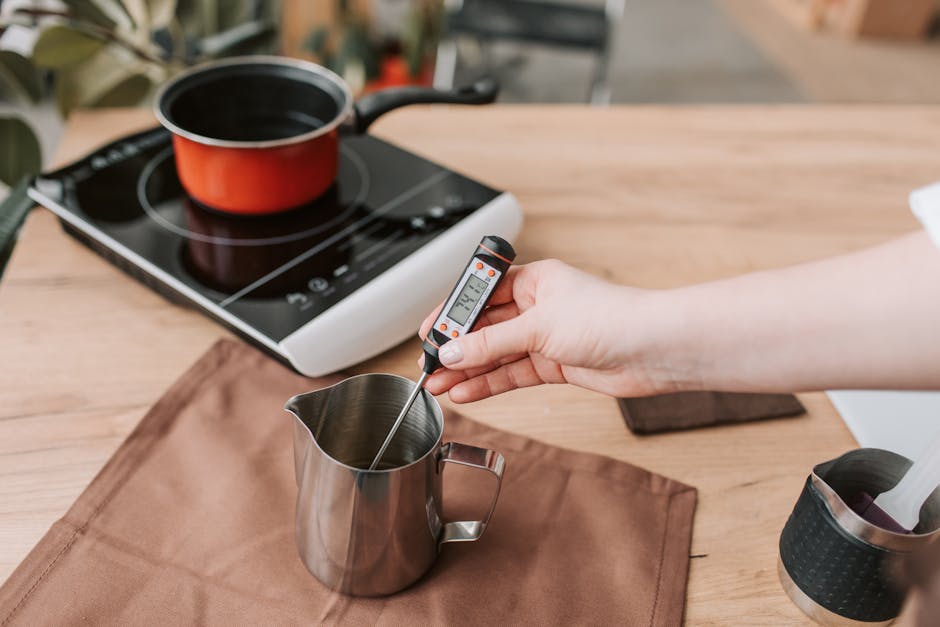
- Insert your thermometer probe into the center of the ice — not touching the sides or bottom of the glass.
- Wait for the reading to stabilize. For instant-read thermometers, this takes 2–4 seconds. For dial thermometers, wait 30 seconds.
- The reading should be 32°F (0°C) ± 2°F. If it's outside that range, calibrate.
The key detail: the probe needs to be in the ice-water slush, not just the water above it. The slush is at 32°F. The water above might be slightly warmer.
The Boiling Water Method (212°F)
Boiling water is a fixed reference point — but it varies with altitude. At sea level: 212°F (100°C). At 5,000 feet elevation: about 202°F. At 10,000 feet: about 194°F.
The ice water method is simpler and more universally accurate. Use boiling water as a second check if you want to verify across the full range, but don't rely on it alone unless you know your local boiling point.
Altitude Adjustment Table
| Elevation | Boiling Point |
|---|---|
| Sea level (0 ft) | 212°F (100°C) |
| 2,500 ft | 207°F (97°C) |
| 5,000 ft (Denver) | 202°F (94°C) |
| 7,500 ft | 198°F (92°C) |
| 10,000 ft | 194°F (90°C) |
How to Adjust Your Thermometer
Digital Thermometers
Most modern digital thermometers have a calibration offset feature. Check your manual — usually there's a "CAL" button or you hold two buttons simultaneously to enter calibration mode. You enter your reference temperature (32°F) and the unit adjusts the offset automatically.
If yours doesn't have a calibration button, you have two choices: calculate the offset yourself and subtract/add mentally, or replace the unit. A $15 thermometer that's off by 5°F and can't be calibrated is worse than useless.
Dial (Bimetallic) Thermometers
Dial thermometers have a calibration nut under the dial face. Insert the probe in ice water, let it stabilize, then use pliers to turn the nut until the dial reads 32°F. That's it. The whole operation takes 90 seconds.
This is the one case where analog thermometers are actually more calibration-friendly than digital.
Digital vs. Analog Calibration Differences
| Feature | Digital | Analog (Dial) |
|---|---|---|
| Calibration method | Software offset (button press) | Physical nut under dial |
| Accuracy range | ±0.7°F – ±2°F (varies by model) | ±2°F – ±5°F typical |
| Drift frequency | Low (mostly from physical damage) | Higher (bimetallic strip affected by heat cycling) |
| Recalibration ease | Depends on model (some lack the feature) | Easy — pliers + nut |
Common Calibration Mistakes
Touching the Glass with the Probe
If the probe tip touches the bottom or side of the glass, you're measuring the glass temperature, not the ice water. Hold the probe in the center of the slush, or use a container large enough that touching isn't possible.
Not Enough Ice
If it's mostly water with a few ice cubes, the temperature will be 35–38°F, not 32°F. The ice-to-water ratio matters. Fill the container at least 2/3 with crushed ice.
Not Waiting Long Enough
Instant-read thermometers read the current temperature in 2–4 seconds — but that's from ambient air to the food. In ice water, where the probe is starting warm and cooling down, give it 15–20 seconds to fully stabilize.
Calibrating at Room Temperature
There's no reliable room-temperature calibration method. Room temperature varies. Use ice water (32°F) or boiling water (altitude-adjusted). Skip everything else.
When to Replace Instead of Calibrate
Calibration fixes drift. It doesn't fix a broken sensor, cracked probe seal, or a unit that reads 20°F off and won't hold adjustment.
Replace your thermometer when:
- It's off by more than 5°F and calibration doesn't hold
- The probe seal is cracked (moisture inside skews readings)
- It reads differently every time you test the same reference point
- The display or mechanism is damaged
A decent instant-read thermometer runs $25–$50. The cost of a food safety incident — or a ruined $80 brisket — is higher. Replace when the tool no longer works reliably.
FAQ
How accurate should a meat thermometer be?
For general grilling, ±2°F is acceptable. For food safety — especially poultry — aim for ±1°F or better. Premium instant-read thermometers achieve ±0.7°F. Budget models typically run ±2–3°F when new, which can drift higher with use.
Can I calibrate a digital thermometer without a calibration button?
You can't adjust the unit itself, but you can calculate the offset. If your thermometer reads 35°F in ice water, you know it's reading 3°F high. Mentally subtract 3°F from every reading, or tape a note to the unit. Better solution: buy one with a calibration function.
Does calibration expire?
Sort of. Calibration sets the unit at a point in time. If you drop it afterward, that calibration may no longer be valid. Check calibration whenever something happens that could affect the sensor, and regularly (every few months) for ongoing assurance.
My thermometer reads 30°F in ice water — is it broken?
Not necessarily. 30°F is 2°F off the target of 32°F. That's within the acceptable range for most analog thermometers. If it's a digital unit, check if it has a calibration offset and set it to read 32°F. If it consistently reads 28°F or lower, replace it.
Can I calibrate a leave-in probe thermometer the same way?
Yes — the ice water method works for any thermometer with a probe. Insert the probe into the ice slush (not touching the container), let it stabilize, and compare to 32°F. Leave-in probes used for smoking should be calibrated regularly since they experience extreme temperature cycles.
How do I know if my thermometer drifted without a calibration check?
You often don't — that's the problem. You might notice your chicken is consistently more or less done than expected, or that recipes consistently undershoot or overshoot. Any unexplained accuracy issue with cooking is a signal to check calibration before blaming the recipe.
Recommended by Titan Grillers
IP67 Waterproof Digital Meat Thermometer
Reads in 2–3 seconds · Backlit LCD · Built-in magnet · Free returns
Free BBQ Calculators
Use our free tools to nail your cook times, temperatures, and quantities every time.
You Might Also Like

Join the Grill Masters Club
Get exclusive recipes, techniques and special offers on our premium meat thermometers.